Free & open source Testing preview · 0.2.0

Your Chromatic.More Magical.

Discover a beautiful new way to explore and play your retro game library on the ModRetro Chromatic: cover art, looping gameplay previews, Game Genie cheats and your recent games, right on the device.

Testing preview. The desktop installer has passed automated safety checks, but no end-to-end install on a physical Chromatic has been tested yet. Read the compatibility and recovery notes before you install.

Magic Trickart31
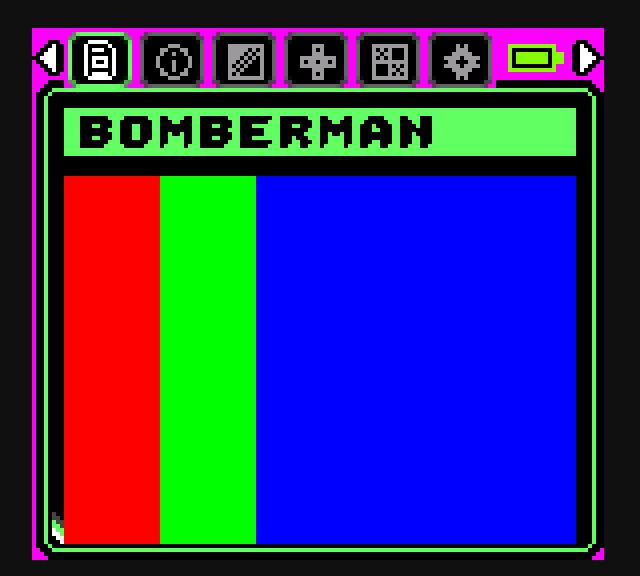
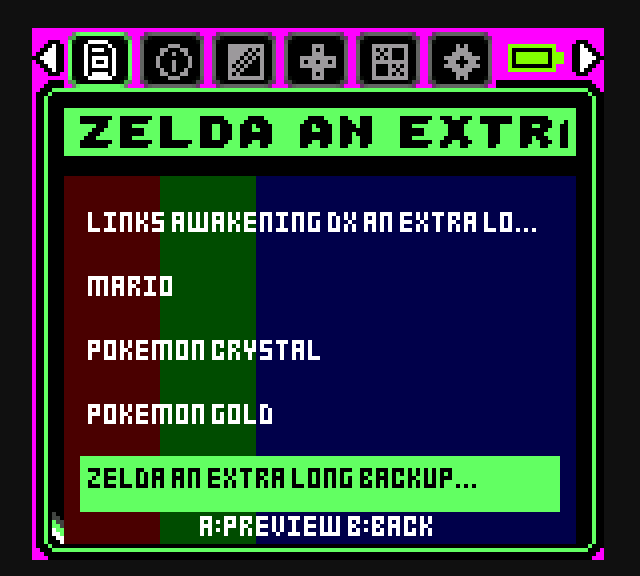
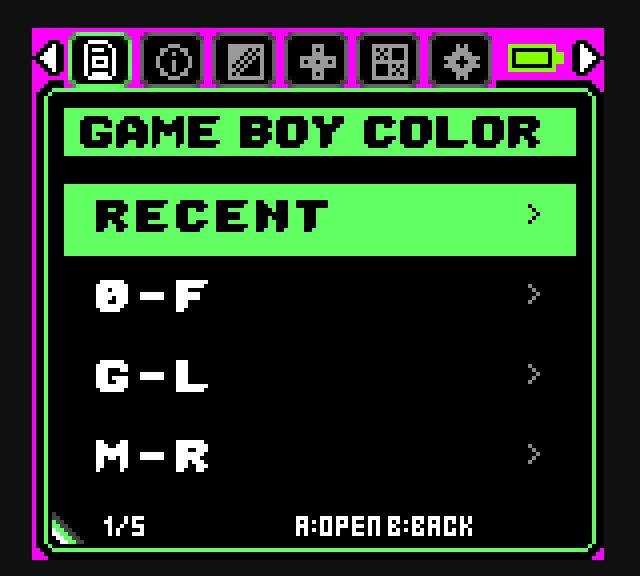
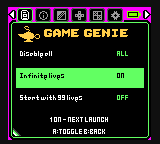
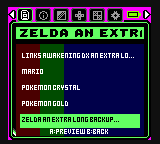
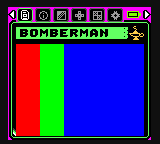
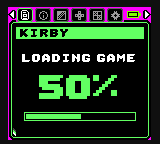
Magic Trick game list: five game titles over a colour cover image, with the selected game highlighted in green. A game's cover shown under its title (colour-bar test image), with a gold lamp showing that Game Genie cheats are available. The Game Boy Color folder with Recent at the top, above alphabetical folders 0–F, G–L and M–R. The Game Genie menu listing cheats such as Infinite lives, with toggles that apply on next launch. Loading screen showing the game title Kirby and a 50 percent progress bar.
Game list

Real Magic Trick interface rendered from the firmware source at native 160×144. Colour bars are test media; bring your own covers.

See it run

Watch Magic Trick in action.

Browse a library by cover art, preview gameplay, then jump straight into a game.

Demo video coming soon A real on-device walkthrough is being recorded. Until then, the screens on this page come straight from the firmware's interface renderer.
No footage has been published yet.Creators: get the press kit →

What's real today

Straight answers about what ships.

Every item is checked against the source code and the published release. Available now means it is in the public art31 firmware that the 0.2.0 installer puts on your device.

Available now

In the 0.2.0 release

Firmware art31 · MCU v0.13.4-art31

  • Cover-art game library (GB & GBC)MCU firmware
  • Looping gameplay previewsMCU firmware
  • Game Genie cheatsMCU firmware + pack tool
  • Recent games (last 20 per system)MCU firmware
  • Automatic last-game startupMCU firmware
  • One-app installer for Mac, Windows, LinuxDesktop installer
  • Cover & preview convertersDesktop tools
In development

Built and being tested

Not in any published release yet

  • True save statesFPGA core + MCU firmware
  • Wi-Fi file transfersMCU firmware
  • Game Gear supportFPGA core + MCU firmware
Coming later

On the roadmap

Planned, not started in public code

  • Custom Magic Trick boot animationMCU firmware
  • Signed & notarized installersDesktop installer
  • Hardware-validated stable releaseAll components
Five-row game selector over the current game's cover, with the selected game highlighted in green.
Hold Up/Down for the five-row selector over the current cover.
Cover view: a colour-bar test image in place of cover art under the game title, with a gold Game Genie lamp.
Cover, then a looping clip. Test image shown.
Loading screen with title and progress.
Title and progress while loading.
Available nowMCU firmware

A game library worth browsing.

Magic Trick replaces the plain file list with a Game Boy and Game Boy Color library built around your own cover art. Rest on a game and its cover gives way to a silent, looping gameplay clip, so you can see what you're about to play.

  • Covers and clips from your SD card. Bring your own; the included converters prepare them.
  • Fast navigation. Tap to step through covers, hold for the five-row selector, keep holding to accelerate.
  • Nested folders and a Game Boy / Game Boy Color system picker.
  • Media loads in the background and is cancelled as you scroll, so browsing stays responsive.
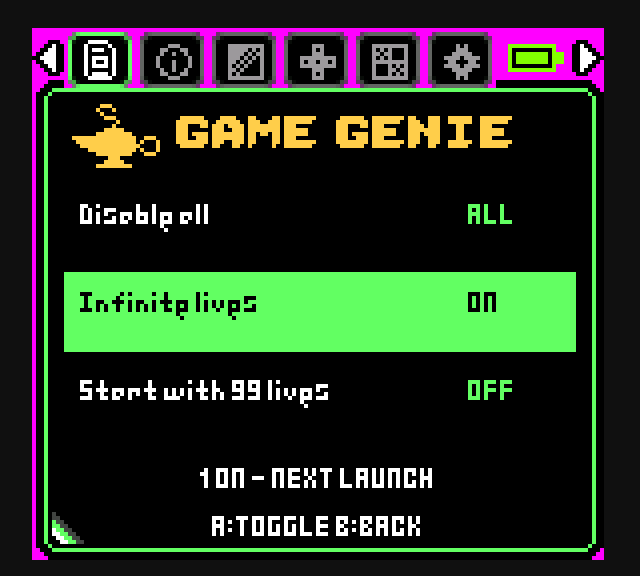
Game Genie menu with Infinite lives switched on.
Toggle cheats per game.
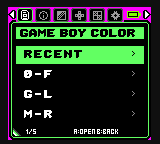
Recent folder above alphabetical folders.
Recent sits above A–Z folders.
Available nowMCU firmware

Cheats, recents and a faster start.

A gold lamp marks games that have Game Genie codes. Press Select on a game's preview to turn codes on, and they apply the next time it starts. Your ROM files are never modified.

  • Game Genie cheats from packs you generate for your own library with the included tool. No cheat database is bundled.
  • Recent games: the last 20 games per system, newest first, kept across power cycles.
  • Last-game startup: with no cartridge inserted, the Chromatic reopens the last game you launched. Hold B at power-on to go to your library instead.

Not a save state. Last-game startup reopens the game with its normal saved progress. It does not resume the exact moment you left. True save states are a separate feature, still in development.

In development
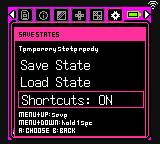
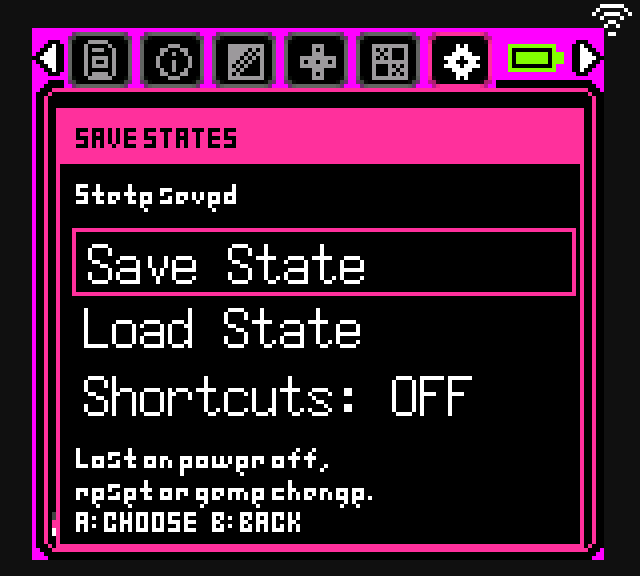
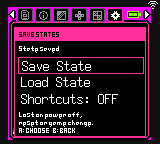
Save States menu reporting State saved, with Save State, Load State and Shortcuts options.
Save a snapshot mid-game.
In development
Save States menu with shortcuts on: Menu plus Up saves, Menu plus Down loads.
Optional button shortcuts.
In developmentFPGA core + MCU firmware

True save states.

Freeze a game at any moment and jump back to that exact frame, even mid-level. Save states work on hardware in development builds, with repeated restores tested on Game Boy and Game Boy Color games. They aren't in any published release yet.

  • Captured by the FPGA core itself: CPU, video, audio, memory and cartridge-mapper state, not just the game's own save.
  • One temporary slot, held in memory. It is cleared on power-off, reset or when you change games.
  • Optional shortcuts: Menu + Up to save, hold Menu + Down to load.
  • Current limits: SD games using MBC1 or MBC5 only. Cartridges and real-time-clock games aren't supported yet.
In development
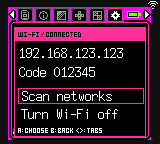
Wi-Fi screen showing Connected, an IP address and a pairing code, with Scan networks and Turn Wi-Fi off options.
The device shows its address and a one-time code. Demo values shown.
In developmentMCU firmware

Wireless file transfers.

Join your home Wi-Fi from the System menu and the Chromatic shows its local address and a 6-digit code. Open that address in any browser on the same network, enter the code, and copy games, covers and saves to and from the SD card. No card reader and no cable needed.

  • A small web page served by the Chromatic itself. No app to install, no cloud account, nothing leaves your network.
  • Careful by default: a pairing code is required, and existing files are never overwritten.
  • Games pause while Wi-Fi is on. Turn it off to play. It joins your router; there's no hotspot mode.
In development
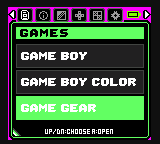
Games menu listing Game Boy, Game Boy Color and Game Gear, with Game Gear selected.
Game Gear appears as a third system.
In developmentFPGA core + MCU firmware

Game Gear, on a Chromatic.

Game Gear is being added as a third system beside Game Boy and Game Boy Color. Early prototype builds already boot Game Gear games on a real Chromatic. It isn't in any published release and needs much more testing before anyone else should try it.

  • A real hardware core. Game Gear runs on its own FPGA core, adapted from the open-source MiSTer Master System core, not on software emulation.
  • Switches cores on demand. Pick Game Gear and the Chromatic reloads into that core; pick Game Boy and it switches back.
  • Still to verify: audio, Game Gear covers and previews, and cheats.

Download

One app. Both firmware parts.

The Magic Trick Installer takes a stock Chromatic, or a compatible ChroMagic install, to Magic Trick in one session. Python and the MCU/FPGA programmers are bundled.

Magic Trick Installer 0.2.0

Released Nov 8, 2026 · installs firmware art31

Testing preview
Not hardware-validated yet. No end-to-end flash on a physical Chromatic has been tested with this installer. Automated tests cover install ordering, corrupted backups, unsupported firmware and programmer startup, but not real USB flashing or recovery. The apps are unsigned, and the Mac builds aren't notarized. If you need a proven install path, wait for a validated release.

Back up

Back up your SD card yourself, especially saves. Power on the Chromatic and connect it with a data USB cable.

Open the installer

Extract the whole archive and open Magic Trick Installer. Close any other device apps, then select your Chromatic and a private backup folder.

Let it verify

Keep power and USB connected. The app backs up the MCU, then writes and verifies both firmware parts and checks the running versions.

What the installer checks and changes
  • Checks firmware SHA-256 hashes and the connected hardware before writing.
  • Saves and verifies a full 4 MiB private MCU backup, then validates the partition table and application descriptor.
  • Writes and verifies the Magic Trick MCU application, then the ChroMagic FPGA, then checks the running versions before reporting success.
  • Never writes the SD card, bootloader or partition table.
  • The MCU backup does not include FPGA firmware or SD contents. Keep it private.
Drivers and permissions

Windows may need ModRetro's official MRUpdater USB drivers before the programmer can reach the device. Linux may need serial and USB device permissions. The Mac tools are bundled and don't need Homebrew. The app checks access before it writes any firmware.

Known issues and limitations
  • No end-to-end installation on a physical Chromatic has been tested with this installer.
  • The apps are unsigned. macOS Gatekeeper and Windows SmartScreen will warn you before opening them.
  • Compatibility checks are software checks, not a hardware compatibility certification.
  • Sustained preview performance, broad game and save compatibility, and the behaviour of every cheat have not been verified.
  • Game Genie only, on Game Boy and Game Boy Color SD games. GameShark / Pro Action Replay and live toggling aren't supported.
If something goes wrong: recovery

If an install is interrupted, keep your backup and installation.json. An MCU success with an FPGA failure is a partial install, and the app never reports it as a success.

  • If the console still responds, run the installer again.
  • If it no longer responds, stop. Don't erase flash or overwrite your only backup. Open a GitHub issue with your installation.json (not the backup itself).
  • A full return to stock needs matching stock MCU and FPGA firmware through ModRetro's official MRUpdater. An MCU backup alone does not restore the FPGA.

Installer guide: compatibility, drivers and recovery ↗
Recovery and manual install guide ↗

Bring your own library

Games, saves, artwork and gameplay clips aren't included. Use files you have the right to use; your library stays on your SD card. Covers and previews are optional, and the browser works without them.

Artwork and preview setup ↗ · Building cheat packs ↗

Free & open source

Built in the open, on the shoulders of giants.

Magic Trick is free software under the GNU GPL v3, the same licence as the ChroMagic and ModRetro firmware it builds on. Read the code, build it yourself, or help make it better.

Magic Trick is a modification of CursedToast's ChroMagic, which is based on ModRetro's open-source Chromatic firmware and FPGA design. The FPGA builds on the MiSTer Game Boy core (ported from Gameboy for MiST), with boot ROM sources adapted from SameBoy (MIT). The firmware uses Espressif ESP-IDF and LVGL. Optional cheat packs are compiled from the libretro-database.

Press & creators

Covering Magic Trick?

Everything you need for a video, article or post. All screenshots are real interface renders, free to use when covering the project.

About the project

Magic Trick is a free, open-source firmware mod for the ModRetro Chromatic. It turns the handheld's file list into a game library with cover art, looping gameplay previews, Game Genie cheats, a Recent games folder and automatic last-game startup. A desktop installer for Mac, Windows and Linux installs it from stock firmware in one session.

Magic Trick builds on CursedToast's ChroMagic and ModRetro's open-source firmware, and is released under the GPL v3. The 0.2.0 installer is a testing preview. Save states, Wi-Fi file transfers and Game Gear support are in development.

Fact sheet

Project
Magic Trick, by Ryan (ryansag.com)
Platform
ModRetro Chromatic (Game Boy / Game Boy Color FPGA handheld)
Current release
Installer 0.2.0 (testing preview) · firmware art31
Price & licence
Free · GPL-3.0

Assets

Download press kit (.zip)

Please label save states, Wi-Fi transfers and Game Gear as in development, and the 0.2.0 installer as a testing preview. Screens marked "dev" come from unreleased development firmware.

Enjoying Magic Trick?

Magic Trick is free and open source. If you're enjoying it and want to help support future development, you can buy me a coffee. It's entirely optional, and every feature stays free.

☕ Support on Ko-fi ↗